Why Frontend Bugs Are the Hardest to Chase Down
Every developer has a bug that refused to die. Mine was a search box on a product listing page. It worked every time I tested it, until a teammate reported that results sometimes belonged to the wrong query. Nothing crashed and nothing logged an error. It only happened when someone typed quickly.
A backend bug usually gives you a stack trace, a status code, or a row in a database that's wrong. A frontend bug often gives you nothing. The button works on your laptop and fails on a customer's phone. The page looks right until someone scrolls. The form submits twice only when the network is slow. You can't reproduce it, so you start guessing. Learning to debug frontend bugs is mostly learning to make them happen on demand.
Frontend challenges: the bugs that cost the most time
- The bug only happens on one browser. Safari handles date parsing, flexbox gaps, and some CSS features differently from Chrome. Once you find the cause, the fix is usually one line. Finding the cause is the hard part.
- State gets out of sync. A component shows the old value after an update. Two parts of the UI read from different sources of truth. A cached response overwrites a fresh one because the requests returned out of order.
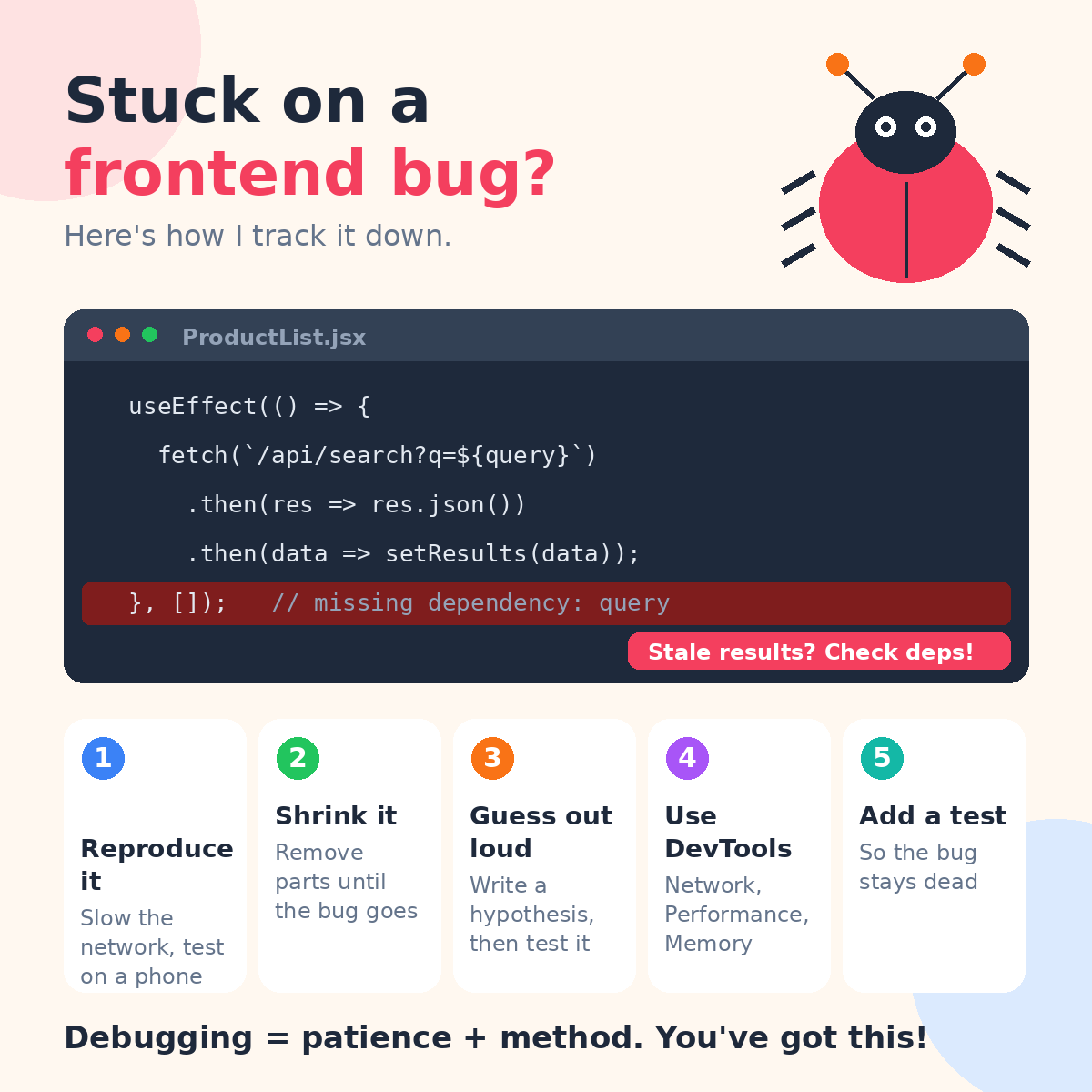
- Race conditions in async UI. A user types quickly, and an earlier search response arrives after a later one, so the results on screen belong to the wrong query. Nothing crashes. The app just quietly lies.
- Hydration mismatches. Server-rendered HTML doesn't match what the client renders, usually because of a timestamp, a locale setting, or a random ID. The page flickers, or interactions stop working, and the console message is cryptic.
- Stale caches and bundles. A user is running last week's JavaScript against this week's API. Users see errors that no longer exist in the code.
- Layout that breaks in the real world. Stacking contexts, z-index wars, and overflow hidden clipping a dropdown. Content that looks fine with test data and collapses with a 40-character name.
- Memory leaks you only notice after an hour. An event listener is never removed, or a subscription keeps running after the component unmounts. The page slows down slowly, and nobody notices until a long session shows it.
- Third-party scripts. An analytics tag, a chat widget, or an A/B testing library changes the DOM or overrides a global, and your code breaks in a way that appears nowhere in your repository.
The tools I reach for
- Chrome DevTools: Network throttling, CPU slowdown, the Performance and Memory panels.
- React DevTools: Component state and re-render tracking.
- BrowserStack or a real device: Browser and OS-specific bugs.
- Playwright: Regression tests for the bugs you've already fixed.
How I debug frontend bugs now
Over time I've learned a few habits that save me from spiraling:
- Reproduce before you fix. If you can't make it happen reliably, you don't understand it yet. Throttle the network, slow the CPU, and test on a real device.
- Shrink the problem. Remove components until the bug disappears, then add one back at a time.
- Write down your hypothesis. "I think the stale data comes from the cache key missing the user ID." A clear hypothesis is easy to test or throw away.
- Let the browser tell you things. DevTools' Performance, Network, and Memory panels answer questions that console logs can't.
- Add the test you wished you had. Every frontend bug that gets fixed without a regression test will come back.
Closing
The search-box bug taught me that the hardest part of frontend debugging isn't the fix. It's getting the bug to happen on demand. Debugging is less about cleverness and more about patience and method, and it gets easier the more often you stay calm when the app is behaving strangely for no visible reason.
What's the most frustrating frontend bug you've chased? I'd love to hear how you tracked it down.